Troubleshooting WEAF POS Activation and Connection Issues
Test User
1 min read
Most WEAF POS setups go smoothly, but if you hit a snag with activation or connecting tills, this quick troubleshooting guide covers the common causes and fixes.
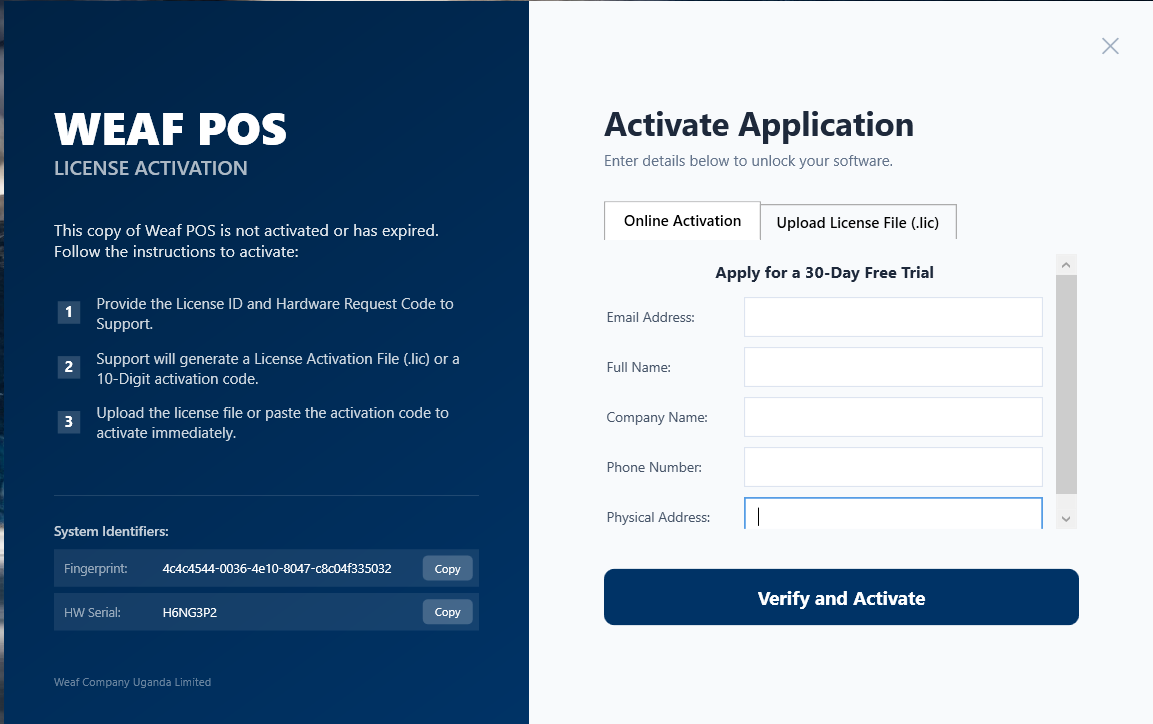
Activation problems
- Make sure you are signed in with the correct account
- Confirm your licence shows as available in your dashboard
- If a required component is missing, install .NET Desktop Runtime 9.0
- Contact WEAF support if a licence will not activate
Connection problems
- Ensure the server is on and in Multi-User Mode
- Confirm all computers are on the same network
- Allow UDP 19500 and TCP 3306 in Windows Firewall
- Use Scan Network again if the server IP changed
Frequently asked questions
Who do I contact for help?
Call or message WEAF support on +256 756 508 361 or email weafpos@weafcompany.com and the team will assist.
My licence will not activate. What now?
Confirm you are signed in with the right account and your licence is available in your dashboard, then contact support if it persists.
The tills lost connection after a power cut. Why?
The router may have reassigned the server IP. Run Scan Network on each till to reconnect automatically.
Topics covered
WEAF POS
point of sale software
POS system
POS software
retail POS software
inventory software
stock management software
receipting software
POS software Africa
EFRIS POS
URA EFRIS
MRA EIS
ZRA Smart Invoice
eTIMS
WEAF Company
WEAF POS troubleshooting
POS activation problem
POS connection issue
POS not connecting
POS support Uganda
fix POS licence
POS network troubleshooting
POS help
point of sale support
retail POS troubleshooting
Frequently asked questions
1
Who do I contact for help?
2
My licence will not activate. What now?
3