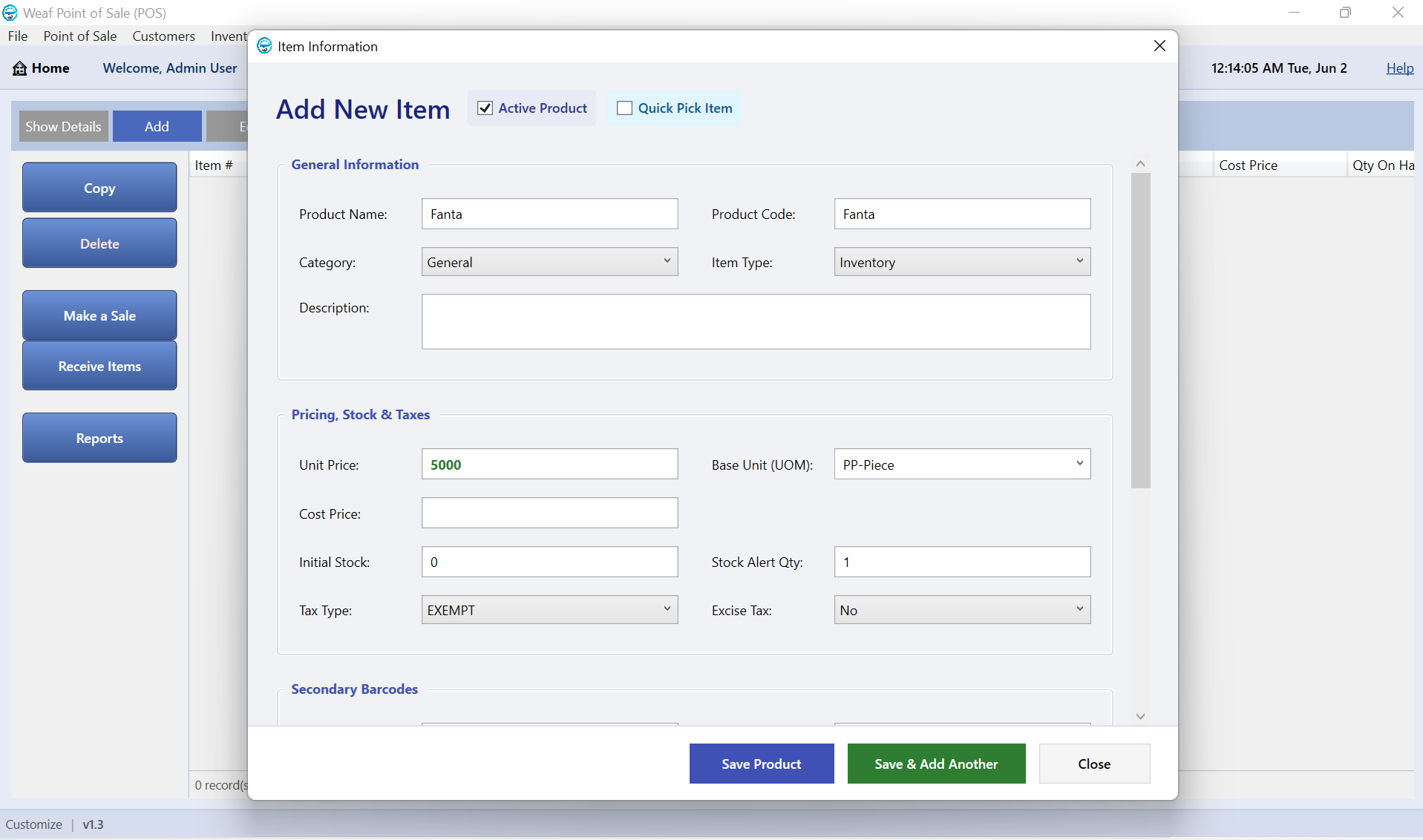
Adding Your First Product in WEAF POS
Products are the heart of your point of sale. Once your licence is active, adding your first product takes seconds and lets you start ringing up sales straight away.
Create a product
Open the products screen and add a new item. Give it a name, a selling price and, if you buy it in, a cost price so WEAF POS can calculate your profit automatically.
Add a barcode and stock
Scan or type the barcode so cashiers can find the item instantly at the till. Enter your opening stock quantity so inventory is accurate from day one.
Frequently asked questions
What details does a product need?
At minimum a name and selling price. Adding a cost price, barcode and opening stock unlocks profit tracking and fast selling.
Can I import many products at once?
Yes. Contact WEAF on +256 756 508 361 for help loading a large product list quickly.
Do I need a barcode for every item?
No, but barcodes make selling much faster. Items without barcodes can be found by name or Quick Pick.